
Direct answer
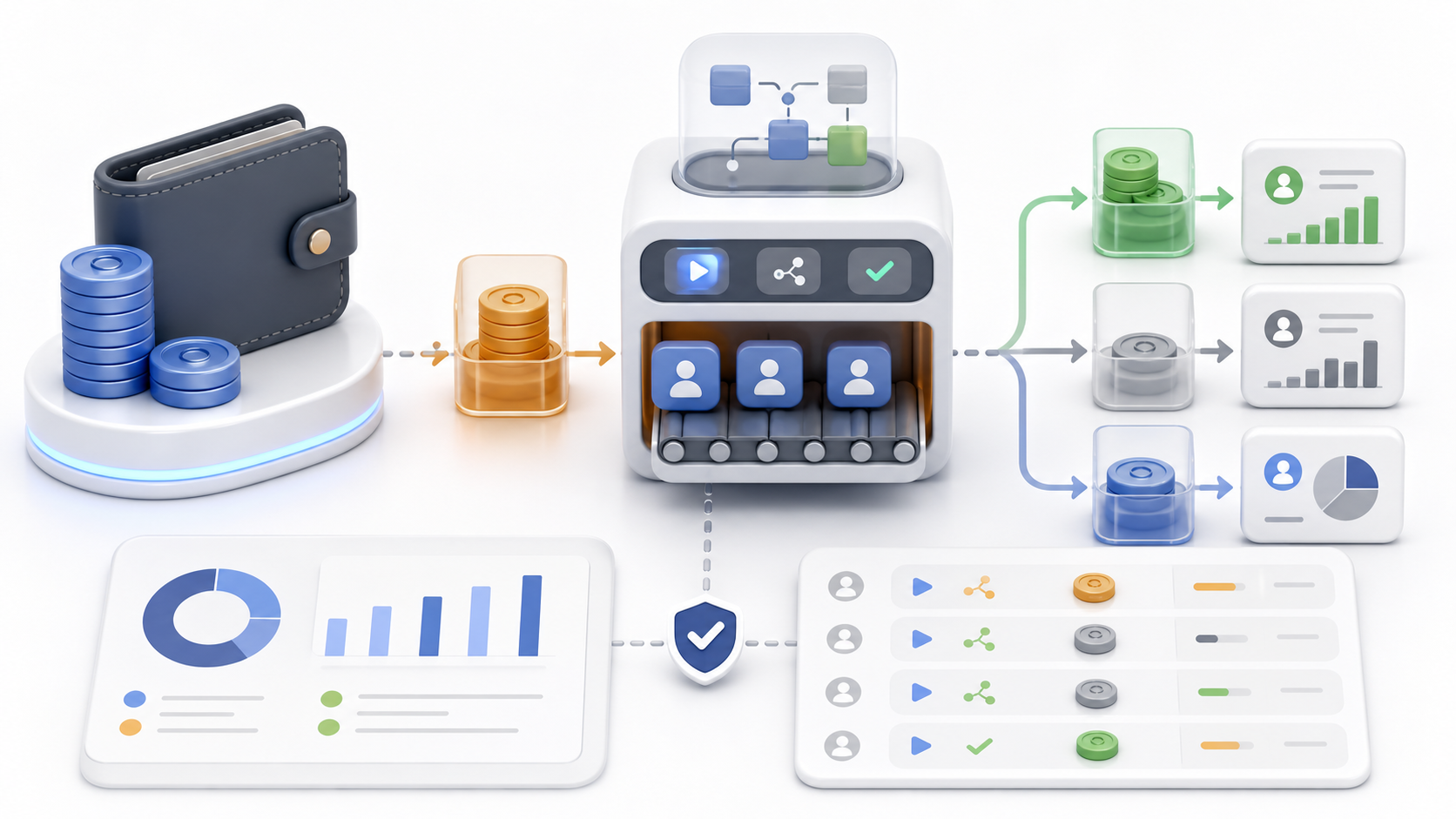
Credit-based usage helps control automation costs by making each resource-consuming action visible, measurable, and limited. It turns invisible background work into budgeted workflow decisions.
The core industry problem: automation can hide cost
Automation often feels cheap because the user is not doing each step manually. But behind the scenes, workflows may use search providers, enrichment APIs, email verification, AI generation, storage, compute, browser sessions, and sending infrastructure.
When costs are hidden, teams overuse expensive steps. They enrich contacts that were never qualified, verify emails for low-fit leads, generate messages for people who should be skipped, or run broad searches that produce noisy data.
The result is budget surprise. A team thinks it is saving time, but the workflow spends money on records that never had a realistic chance of creating value.
What credit-based usage is meant to solve
A credit system assigns usage value to actions. This does not need to be complicated. The goal is to make teams aware that certain actions consume shared resources and should be used intentionally.
Credits can also create fairness across users or workspaces. If one user runs large exploratory searches every day, the cost should be visible. If another user runs small high-quality workflows, their usage should reflect that discipline.
Good credit systems do not punish useful work. They help teams decide where deeper enrichment is worth it and where lightweight review is enough.
Where credits are useful
- Search actions that collect jobs, posts, profiles, or companies.
- Enrichment actions that call external data providers.
- Email discovery and verification steps.
- AI-assisted message generation or summarization.
- Large exports, bulk processing, or scheduled background work.
- High-cost workflows that should be approved before running.
The credit model should map to cost and value. If a step is cheap and essential, it may not need strict controls. If a step is expensive or easy to overuse, credits help.
A practical cost-control workflow
- Define which actions consume credits and why.
- Show estimated cost before a workflow runs.
- Reserve credits for scheduled or batch work.
- Refund credits when a reserved task does not execute.
- Track usage by user, workspace, workflow, and action type.
- Set alerts or limits when usage approaches budget.
- Review usage quality, not only usage amount.
This workflow prevents surprise while preserving flexibility. Teams can still run deep workflows, but they understand the tradeoff.
Credit systems should encourage better targeting
The best way to reduce automation cost is not always buying more credits. It is improving targeting. If the first stage produces cleaner records, fewer expensive enrichment and verification steps are wasted.
Credits make this visible. A broad campaign may consume many credits with low reply quality. A narrower campaign may consume fewer credits and produce better outcomes. Over time, teams learn which workflows deserve deeper investment.
Common mistakes
- Charging credits without explaining what action consumed them.
- Failing to distinguish reserved, consumed, refunded, and expired usage.
- Making every tiny action feel expensive.
- Not giving admins visibility by user or workflow.
- Ignoring quality outcomes when evaluating usage.
- Letting failed jobs consume credits without a fair policy.
A credit system should create trust. Users should understand what happened and admins should be able to audit it.
A real-world operating checklist
Before this kind of workflow is scaled, it should be written down in plain language. The team or individual should know what triggers the workflow, what evidence is required, who reviews uncertain cases, what actions are allowed, and what signals should stop or slow the process.
A practical checklist starts with the audience or object being worked on, then defines the quality bar. In outreach, that means relevance, timing, contact confidence, suppression status, and message fit. In job search, that means role fit, company fit, contact path, application status, and follow-up timing. In recruiting, that means candidate fit, hiring context, consent, and relationship stage.
The checklist should also include ownership. A workflow fails when everybody can see a problem but nobody owns the next action. Assigning ownership does not need to be bureaucratic. It can be as simple as saying the researcher owns missing context, the reviewer owns message approval, and the campaign owner owns pacing and outcomes.
Finally, the checklist should define what good looks like. Good is not more records, more messages, or more activity by default. Good means better-fit opportunities, fewer avoidable mistakes, clearer decisions, and a process that produces useful learning each week.
Questions to answer before scaling
- Do we know exactly who or what this workflow is for?
- Do we have enough evidence to justify the next action?
- What conditions should block, pause, or downgrade the workflow?
- Who reviews uncertain cases, and what information do they need?
- Which metrics prove quality, not just activity?
- What will we do when the workflow produces bad matches or negative signals?
- How often will we review results and improve the rules?
These questions matter because scaling a weak process makes the weakness more expensive. A small manual sample can reveal whether the logic is sound before automation expands the volume. If the first 25 records are noisy, the next 2,500 records will not magically become useful.
The healthiest teams treat automation as an amplifier of a tested workflow. They first make the workflow understandable, then make it repeatable, then make it measurable, and only then make it larger. This order protects quality and keeps the process grounded in real-world judgment.
How to evaluate whether the system is working
A deeper workflow should be judged by decision quality, not only by output volume. Volume is easy to count, but it can hide weak targeting, poor timing, low confidence data, and unclear ownership. A workflow that produces fewer but clearer decisions may be more valuable than a workflow that creates hundreds of records nobody trusts.
The first evaluation layer is relevance. Are the records, people, jobs, posts, or companies actually connected to the intended purpose? If the workflow is producing many edge cases, the targeting logic needs to be narrowed. If reviewers repeatedly reject the same kind of record, that rejection reason should become a rule rather than a repeated manual task.
The second layer is readiness. A record may be relevant but not ready. It may be missing contact evidence, role context, consent status, sender configuration, verification, or campaign fit. Readiness metrics help teams understand whether the process is blocked by sourcing quality, enrichment quality, review capacity, or operational setup.
The third layer is outcome quality. For outreach, useful signals include positive replies, thoughtful objections, meetings, applications, referrals, and qualified conversations. For internal workflows, useful signals include fewer stuck records, faster review, lower rework, and clearer ownership. These measurements are more meaningful than raw sends, raw searches, or raw contacts created.
A strong evaluation habit is to review a small sample of completed and rejected items every week. The sample should include successful outcomes, ignored items, manually edited items, and blocked items. This makes it easier to see where the workflow is helping and where it is creating hidden work.
The review should end with one concrete improvement. That improvement might be a narrower source, a clearer exclusion rule, a better confidence threshold, a rewritten message template, or a new blocked-state action. Small weekly improvements compound faster than occasional large redesigns because they are grounded in evidence from real usage.
How teams usually mature this workflow over time
Most teams do not begin with a perfect process. They start with a rough workflow, learn where judgment is required, and gradually convert repeated judgment into rules. This maturity path is healthy because it prevents the system from becoming over-engineered before the real-world edge cases are known.
In the early stage, the priority is visibility. Users need to see what was found, why it was found, what evidence exists, and what decision is recommended. At this stage, review-first behavior is usually better than automatic execution because the team is still learning what good and bad records look like.
In the middle stage, the priority is consistency. The team begins to standardize naming, stages, scoring, suppression, ownership, and review criteria. Repeated manual decisions become saved filters, required fields, confidence thresholds, or action rules. This is where the workflow starts to feel reliable rather than experimental.
In the advanced stage, the priority is controlled scale. The team can automate more because the rules are clearer, the data is cleaner, and the review process is measurable. Even then, the best systems keep exception handling visible. Edge cases should not disappear; they should be routed to the right person with enough context to make a decision.
The main sign of maturity is not that humans disappear from the workflow. It is that humans spend less time cleaning avoidable mess and more time making the few decisions where judgment genuinely matters.
FAQ
Why use credits instead of unlimited automation?
Credits help control cost, prevent runaway workflows, and make expensive actions more intentional.
Should every action cost credits?
No. Credits are most useful for actions that consume meaningful external, AI, compute, or data resources.
What usage metrics matter most?
Track credits by workflow, user, action type, result quality, and outcome so cost can be connected to value.
How GrowthEngene can help
GrowthEngene can help by tracking workspace credits, reservations, consumption, refunds, grants, top-ups, and usage limits across discovery, enrichment, verification, and outreach workflows.
The important principle is still the same with or without software: start with a clear workflow, keep human judgment in the loop where risk is high, and measure quality before volume.